
Every business wants to control operating costs, improve productivity and deliver better customer experiences. Yet many organizations continue to rely on manual data entry, repetitive emails, lengthy approval chains and disconnected software systems to manage everyday operations.
These activities may appear manageable at first, but their cumulative impact can become significant as a company grows. Employees spend valuable hours completing administrative work, errors require additional attention, and delays prevent teams from responding quickly to customers or making informed decisions.
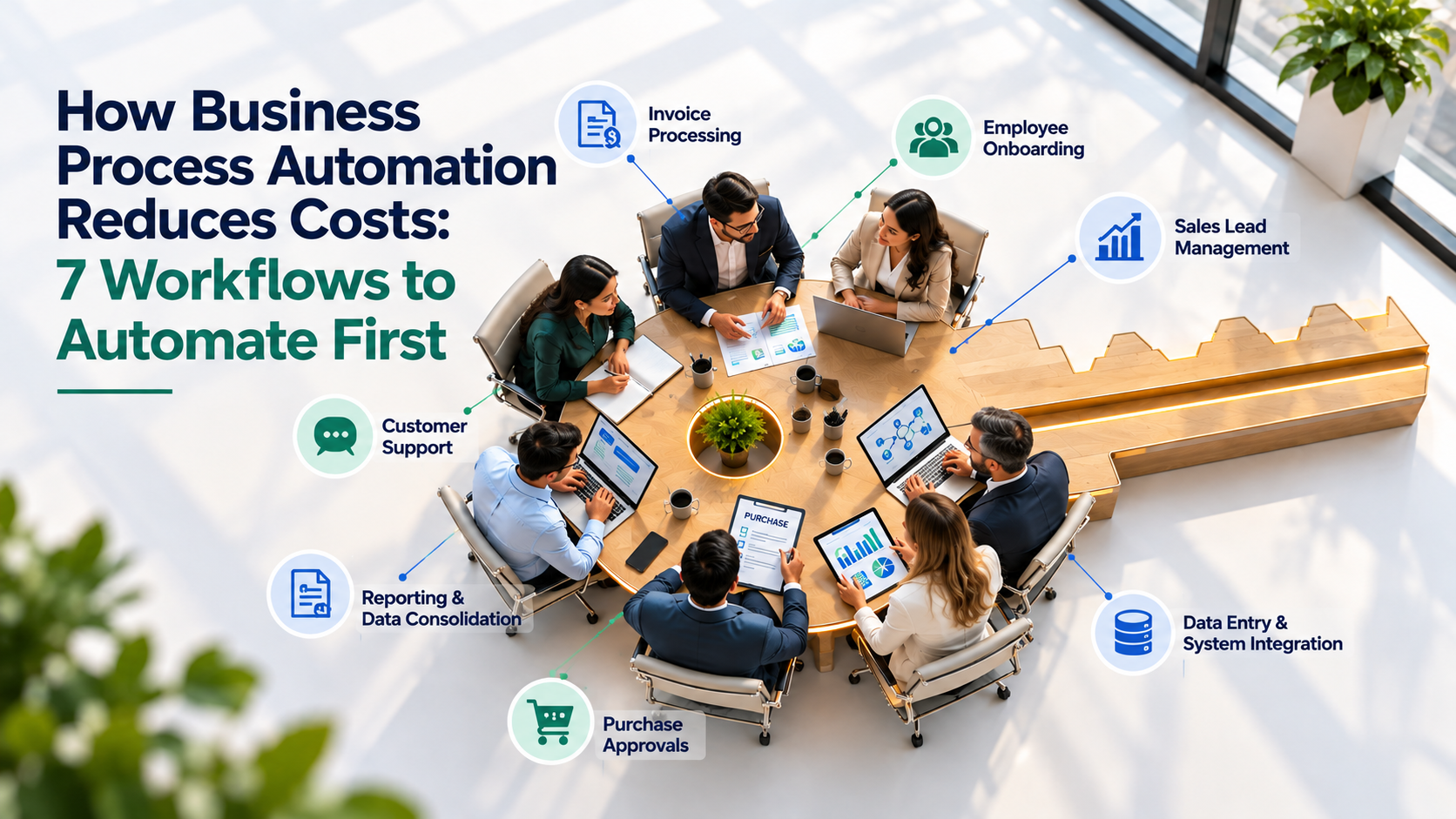
Business process automation reduces operating costs by automating repetitive tasks, minimizing avoidable errors and connecting business workflows across people and software systems. Common starting points include invoice processing, employee onboarding, sales lead management, customer support, reporting, purchasing approvals and data synchronization.
The most effective approach is not to automate everything at once. Businesses should identify processes that consume substantial employee time, follow predictable rules and have measurable performance problems. They can then introduce automation, measure the results and expand gradually.
For business leaders, the objective is straightforward: spend less time on unnecessary administrative work while improving the speed, accuracy and consistency of daily operations.
This guide explains seven workflows businesses can automate first, how automation creates opportunities for cost reduction, how to calculate return on investment (ROI), and what to consider when choosing a business process automation solution.
What Is Business Process Automation?
Business process automation (BPA) uses software and technology to execute, coordinate or manage repeatable business activities with less manual intervention.
It can include rule-based workflows, integrations between business applications, robotic process automation (RPA) and artificial intelligence (AI) where tasks require capabilities such as language understanding or information extraction.
For example, when a company receives a new customer inquiry, an automated workflow can capture the details, create a lead in the customer relationship management (CRM) system, assign it to the appropriate salesperson and schedule a follow-up reminder. Employees remain responsible for meaningful customer conversations, while software handles routine administrative steps.
Business process automation can connect multiple tasks and applications across an end-to-end process rather than automate just one isolated activity.
Common business process automation benefits include:
- Reducing repetitive administrative work and manual data entry.
- Minimizing errors caused by copying information between systems.
- Accelerating approvals, reporting and customer communication.
- Standardizing procedures across departments.
- Improving visibility into work status, delays and responsibilities.
- Helping organizations make better use of existing employees and software investments.
Microsoft provides an overview of these opportunities in its guide to business process automation benefits.
7 Business Workflows to Automate First
The strongest candidates for automation are generally processes that occur frequently, require substantial manual effort and follow reasonably predictable rules. The following seven workflows provide practical starting points for businesses seeking to reduce costs and improve operational efficiency.
1. Invoice Processing and Accounts Payable
Invoice processing can require employees to receive documents, extract information, match invoices against purchase orders, verify details, obtain approvals and update accounting records.
When these activities depend on email and spreadsheets, invoices can be delayed, information may be entered incorrectly, and finance teams can spend considerable time following up on outstanding approvals.
Business process automation can streamline this workflow by capturing invoice information, checking required fields, routing documents to authorized approvers and notifying finance staff when exceptions need attention. With suitable accounting integrations, approved information can also be transferred into the relevant financial system.
Invoices with mismatched details, unusual amounts or missing documentation should still be reviewed by authorized employees.
Cost-saving opportunity: Reduce repetitive data entry, avoidable processing errors and time spent chasing approvals. Better visibility into outstanding invoices can also help finance teams manage payment obligations more effectively.
2. Employee Onboarding and HR Administration
Hiring a new employee creates several administrative tasks. Human resources may need to collect documents, arrange approvals, request system access, communicate company policies and coordinate training with managers and IT teams.
When these steps are managed through separate emails and spreadsheets, tasks can be missed and new employees may spend their first days waiting for access, instructions or equipment.
An automated onboarding workflow can initiate tasks as soon as a new hire is confirmed. It can distribute forms, notify relevant departments, track outstanding requirements and send reminders when deadlines approach.
Managers and HR teams can also monitor onboarding progress without requesting repeated status updates.
Cost-saving opportunity: Reduce administrative coordination, prevent avoidable delays and create a more consistent onboarding experience. HR professionals can spend more time supporting employees instead of managing routine paperwork.
3. Sales Lead Management and Follow-Ups
A new sales inquiry might arrive through a website form, email, social media channel or marketing campaign. If employees must manually transfer each inquiry into a CRM, assign ownership and schedule follow-ups, leads can be overlooked or contacted too late.
Business process automation creates a more consistent lead management process. When a new inquiry arrives, a workflow can capture contact information, record the source, assign the lead according to predefined rules and notify the responsible salesperson.
Automated reminders can support timely follow-ups. Where appropriate, an AI-powered chatbot can answer common questions, collect qualifying information and direct prospective customers to the next step.
For example, a software company receiving inquiries from multiple countries could route leads according to territory, product interest or sales team availability.
Cost-saving opportunity: Reduce manual lead entry, improve follow-up consistency and help sales teams manage more inquiries efficiently. Better lead handling may also reduce the risk of losing opportunities because of delayed responses.
4. Customer Support and Routine Inquiries
Customer support teams frequently answer similar questions about product features, service availability, order status, appointments and common procedures. When every inquiry requires a manual response, response times can increase and support staff have less capacity for complex cases.
Automation can categorize incoming requests, assign tickets to the right team, acknowledge receipt and send status updates. AI-powered chatbots can also handle selected frequently asked questions using approved knowledge sources.
Complex requests should be transferred to a human representative, with relevant conversation history preserved. This reduces unnecessary repetition for customers and gives support staff the context they need.
A service business, for example, could automate appointment confirmations and reminders while allowing employees to handle complaints, scheduling exceptions and unusual customer requirements.
Cost-saving opportunity: Reduce repetitive support workloads, improve response consistency and help teams handle more inquiries without relying entirely on manual processing.
5. Reporting and Data Consolidation
Business leaders need reliable information to monitor sales, expenses, projects, customer activity and operational performance. However, some organizations still rely on employees to collect figures from multiple applications, update spreadsheets and prepare reports manually.
This approach can be slow when information is stored across CRM platforms, accounting software, project management tools and other systems. Manual consolidation also increases the risk of inconsistent figures and outdated reports.
Business process automation can connect data sources, schedule routine data transfers and trigger reporting workflows at defined intervals. Dashboards can then present relevant information, provided that the underlying data is accurate and integrations are configured correctly.
Automation does not replace management analysis. Instead, it reduces the time spent preparing information so that managers can focus on interpreting results and making decisions.
Cost-saving opportunity: Reduce repetitive reporting work, minimize manual consolidation and help teams identify operational issues sooner.
6. Purchase Requests and Approval Workflows
Purchasing can involve several stakeholders. An employee submits a request, a manager checks the budget, finance verifies the expense and procurement may compare suppliers before an order is approved.
When requests move through email threads or informal conversations, employees may struggle to determine who needs to act next. Missing documentation and unclear approval responsibilities can create delays.
An automated approval workflow can route requests according to predefined rules, such as purchase value, department, budget category or authorization level. It can validate required information, notify approvers and record decisions for future reference.
Requests that exceed defined limits or contain unusual details can be escalated for additional review. This preserves human oversight while making routine approvals more consistent.
Cost-saving opportunity: Reduce follow-up effort, improve accountability and limit unnecessary delays in purchasing decisions.
7. Data Entry and Information Synchronization Between Systems
Many companies use separate applications to manage customer records, inventory, orders, projects and financial information. When these systems do not communicate effectively, employees may need to enter the same information more than once.
For example, a sales representative might record a customer order in a CRM, after which another employee manually enters the details into an order management or accounting system. Each additional transfer creates work and introduces the possibility of errors.
Business process automation can connect compatible applications through APIs, integration platforms or other suitable methods. When an event occurs in one system, a workflow can transfer relevant information to another system, apply validation rules and notify employees when an exception requires attention.
The appropriate approach depends on the applications involved, data quality, security requirements and the complexity of the business process.
Cost-saving opportunity: Reduce duplicate data entry, limit avoidable inconsistencies and help departments work with more reliable information.
When automation requires several applications to exchange information reliably, IT consulting and system integration can help businesses assess compatibility, data flows, security and long-term maintainability.
Business Process Automation: Workflows, Benefits and Cost-Saving Opportunities
The following table summarizes where businesses can start, what automation can handle and which operational improvements they should measure.
| Business workflow | What can be automated? | Key business benefit | Cost-saving opportunity |
|---|---|---|---|
| Invoice processing | Data extraction, validation, approval routing and accounting updates | Faster invoice processing | Less manual entry and rework |
| Employee onboarding | Document collection, task assignments and reminders | More consistent onboarding | Reduced HR administration |
| Sales lead management | Lead capture, CRM updates and follow-up reminders | Faster lead response | Less administrative work and fewer missed follow-ups |
| Customer support | Ticket classification, routine responses and request routing | More efficient service | Reduced repetitive support workload |
| Reporting and analytics | Data collection, report generation and scheduled updates | Better operational visibility | Less time preparing reports |
| Purchasing approvals | Request validation, approval routing and escalation | Faster purchasing decisions | Reduced follow-up effort and delays |
| System integration | Data synchronization between CRM, ERP, accounting and other applications | More consistent business information | Less duplicate entry and fewer avoidable data errors |
Key takeaway: Businesses should prioritize workflows according to manual effort, frequency, error rates, integration requirements and measurable business outcomes. Potential savings vary according to the process, implementation costs and how the organization uses the capacity released.
How Business Process Automation Reduces Operating Costs?
Business process automation can reduce costs through several mechanisms. Understanding these cost drivers helps organizations choose suitable projects and evaluate the results more accurately.
Lower Administrative Workload
Employees may spend hours on repetitive activities such as copying data, checking documents, sending reminders and updating records.
Automation can reduce the manual effort required for these tasks. The benefit may appear as reduced overtime, greater capacity within existing teams or the ability to support business growth without increasing administrative headcount at the same rate.
Fewer Errors and Less Rework
Manual processes can introduce incorrect entries, missing information, duplicate records and missed steps. Correcting these problems requires additional time and may affect customers, suppliers or internal operations.
Validation rules, standardized workflows and automated data transfers can reduce certain types of errors. However, automation must be designed carefully: incorrect source data or poorly configured rules can also create errors at scale.
Faster Process Completion
A workflow can remain unfinished for hours or days when employees need to send reminders, locate documents or determine who is responsible for the next step.
Automated routing, notifications and escalation rules help work move forward more consistently. Faster processing can also reduce indirect costs associated with delayed customer responses, purchasing decisions or service delivery.
Better Use of Existing Systems
Organizations sometimes invest in CRM, ERP, accounting and other business applications but continue to rely on manual workarounds because the systems are not fully connected.
Integrating existing applications can improve the value of those investments. In some cases, a well-designed workflow can address an operational problem without requiring an entirely new software platform.
Improved Visibility and Accountability
Automation can record when work begins, who approves a request, where delays occur and which exceptions require attention.
This information helps managers identify bottlenecks and improve processes over time. It also makes it easier to assess whether an automation initiative is achieving its intended business outcomes.
How to Calculate the ROI of Business Process Automation?
Before investing in business process automation services, companies should estimate the current cost of a workflow and compare it with the expected cost after automation.
Consider a hypothetical business whose employees spend a combined 10 hours per week processing routine requests. Assume the fully loaded labor cost is $30 per hour and automation eliminates 60% of that manual effort.
| Calculation | Illustrative result |
|---|---|
| Current manual effort | 10 hours per week |
| Assumed time saved | 60% |
| Hours saved per week | 6 hours |
| Labor cost per hour | $30 |
| Weekly value of employee time released | $180 |
| Annual value of employee time released | $9,360 |
Before investing in business process automation services, companies should estimate the current cost of a workflow and compare it with the expected cost after automation.
Consider a hypothetical business whose employees spend a combined 10 hours per week processing routine requests. Assume the fully loaded labor cost is $30 per hour and automation eliminates 60% of that manual effort.
ROI formula:
ROI (%) = (Annual benefits − Annual automation costs) ÷ Annual automation costs × 100
For a realistic assessment, estimate benefits such as reduced processing costs, fewer errors and avoided overtime. Then subtract software fees, development and integration expenses, training, maintenance and ongoing support.
It is also useful to measure non-financial outcomes, including processing time, error rates, customer response times and employee workload. These indicators can help determine whether an automation project is improving the business even when the financial return is not immediate.
How to Choose the Right Workflow to Automate First?
Not every process is a good candidate for automation. A workflow that changes frequently, depends on unclear policies or involves complex judgment may require process redesign before software can improve it.
Evaluate potential automation opportunities against four factors.
Frequency: How often does the process occur? A task performed hundreds of times each month may offer more potential than one performed occasionally.
Manual effort: How much employee time does the workflow consume? Processes involving repeated data entry, reminders and document handling are often worth examining.
Error and delay risk: Does the current process frequently produce mistakes, missed deadlines or customer complaints? Automation may help when these problems have clear, preventable causes.
Implementation complexity: Are the required systems accessible and compatible? Does the process have clear rules, reliable data and an accountable owner?
Businesses should begin with a manageable workflow where the problem is understood and success can be measured. A limited pilot allows teams to test the design, identify exceptions and improve the process before expanding automation across additional departments.
Common Business Process Automation Mistakes to Avoid
Automation can improve operations, but the results depend on the quality of the process and its implementation.
Automating an inefficient process without redesigning it. If a workflow contains unnecessary approvals or duplicated steps, automating it may simply make the inefficiency happen faster. Review the existing process before building the automation.
Ignoring integration requirements. A workflow may work well in isolation but create new manual work if it cannot exchange data with the systems employees already use. Integration requirements should be assessed early.
Choosing tools before defining business outcomes. Technology should support a clear objective, such as reducing invoice processing time or improving lead follow-up. Begin with the business problem rather than selecting a platform first.
Removing human review where it is necessary. Financial approvals, sensitive customer issues and unusual transactions may require professional judgment or formal authorization. Automation should direct exceptions to the appropriate people instead of making every decision automatically.
Failing to measure performance. Without baseline data, a business cannot reliably determine whether the new workflow has reduced costs or improved efficiency. Establish performance measures before implementation and review them after deployment.
Overlooking employee adoption and ongoing maintenance. Teams need to understand how the workflow operates, what to do when an exception occurs and who is responsible for updates. Processes, software and business rules can change, so automation should be monitored and maintained.
When Should You Work With a Business Process Automation Services Provider?
Some workflows can be automated using existing software features or straightforward no-code tools. More complex requirements may involve multiple business applications, custom integrations, legacy systems, data security considerations or AI-driven capabilities.
A business process automation services provider can help assess the current workflow, identify integration requirements, design the solution and establish a practical implementation roadmap.
When evaluating a provider, look beyond the technology itself. Consider whether the team understands your business processes, can integrate with your existing systems, plans for security and exception handling, and defines measurable outcomes.
A suitable solution should also be maintainable. Your business may change approval policies, introduce new software or expand into new markets. Automation should be designed to accommodate reasonable changes without requiring a complete rebuild.
At e-strats, we help businesses explore intelligent automation and custom software solutions designed to streamline workflows, connect applications and improve operational efficiency.
Our AI and Chatbot Development Services provide a starting point for businesses exploring AI-powered customer interactions and automation opportunities. Organizations with broader technology requirements can also explore our IT consulting services to assess their technology needs and identify practical next steps.
For the best outcome, begin with a defined business problem, agree on measurable success criteria and select a solution that fits your existing systems and long-term operational goals.
Conclusion: Start With the Process That Costs You the Most Time
Business process automation is not simply about replacing manual tasks with software. It is about creating more consistent, connected and measurable ways of working.
From invoice processing and employee onboarding to lead management, customer support and data synchronization, the right workflows can reduce repetitive effort, limit avoidable errors and help employees focus on higher-value responsibilities.
The most effective approach is to start small, measure the current process, select a clear business objective and evaluate the results before expanding. By understanding both the financial costs and the operational challenges of a workflow, businesses can make more informed automation decisions.
If your team is spending too much time on repetitive administrative work or moving information between disconnected systems, it may be time to assess where automation can make a meaningful difference.
Ready to identify automation opportunities in your business? Contact e-strats to discuss your operational challenges and explore technology solutions aligned with your business goals.
Frequently Asked Questions
What is business process automation?
Business process automation uses software to execute or coordinate repeatable business activities with less manual intervention. Examples include approval workflows, invoice processing, data synchronization, reporting and customer communication.
How does business process automation reduce operating costs?
It can reduce administrative effort, minimize certain manual errors, speed up routine processes and improve the use of existing software systems. The actual financial impact depends on implementation costs and how the business uses the time and capacity released.
Which business processes should companies automate first?
Invoice processing, employee onboarding, sales lead management, customer support routing, reporting, purchasing approvals and repetitive data transfers are common starting points. The best choice depends on process frequency, manual effort, error rates and implementation complexity.
How do you calculate the ROI of business process automation?
Estimate the measurable annual benefits, including reduced processing costs, avoided overtime and fewer errors. Subtract implementation and ongoing operating costs, then divide the net benefit by the total automation costs and multiply by 100. Use clearly documented assumptions and distinguish employee capacity released from actual cash savings.
Is business process automation suitable for small and medium-sized businesses?
Yes. Small and medium-sized businesses can begin with focused workflows using existing software features, integration tools or tailored automation solutions. A phased approach helps control costs and evaluate value before expanding.
What is the difference between workflow automation and business process automation?
Workflow automation typically coordinates a sequence of tasks, approvals or notifications. Business process automation can cover a broader end-to-end process, connecting multiple workflows, applications and teams to achieve a business outcome.
How can a business choose a business process automation company?
Look for a provider that understands your operational challenges, can work with your existing systems, addresses data security and exception handling, and defines measurable outcomes. Relevant technical expertise, maintainability and ongoing support are also important considerations.
Does business process automation replace employees?
Not necessarily. Many automation projects are designed to reduce repetitive administrative work so employees can focus on customer relationships, problem-solving, analysis and decisions that require human judgment.
